 Clipture
Separate audio tracks, set up your way
You decide what Clipture records and which sounds get a track of their own: the game, your microphone, Discord, music or any other app. After you play, mix or mute each track without recording again.
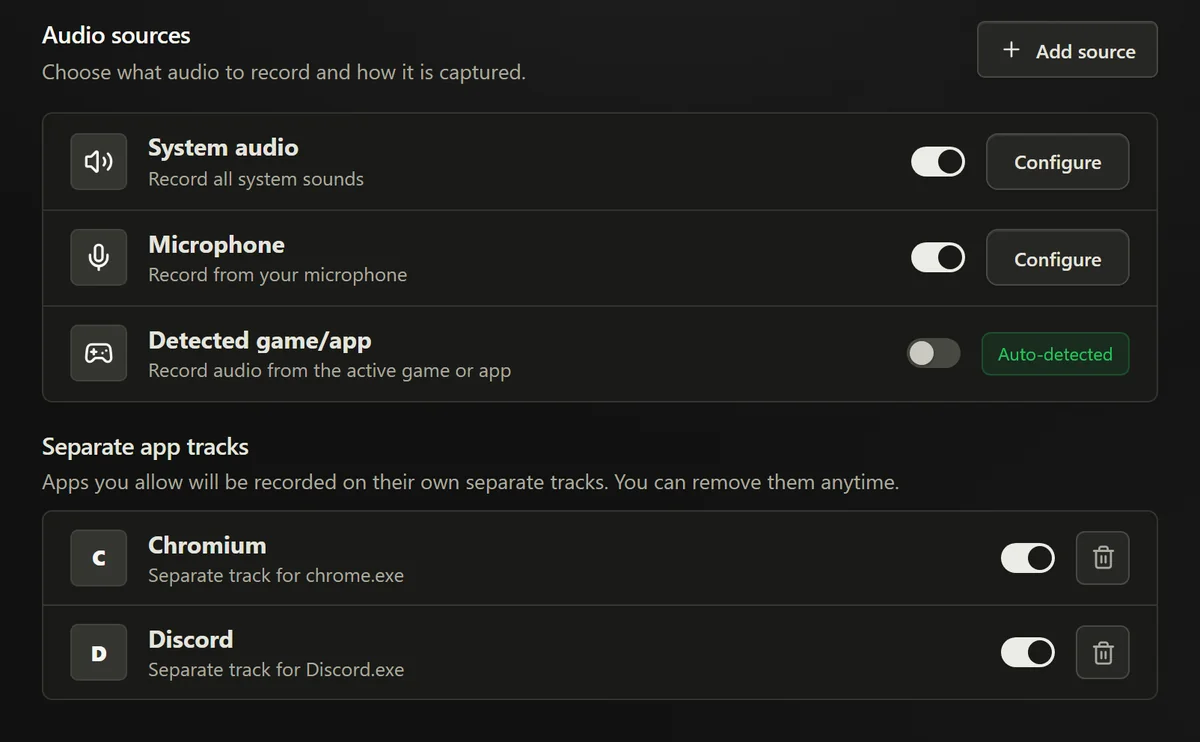
Choose every track
Each source has its own switch, so a clip carries exactly the audio you want.
- Separate app tracks: add any app that plays sound, such as Discord, Spotify or your browser, and it records on its own track. Remove it whenever you like. Clipture follows apps like Discord that run as several processes, and reconnects when they restart.
- Game: turn on the detected game or app, and the game you are playing gets a track of its own.
- System audio: record everything your PC plays, or only the apps you pick. An app that already has its own track is kept out of the system mix, so nothing is recorded twice.
- Microphone: choose the device and its volume, add voice isolation at the strength you want, and set the noise gate to automatic, manual or off.
A source that stayed silent for the whole clip is left out, so a clip carries only tracks with sound.
Mix after you play
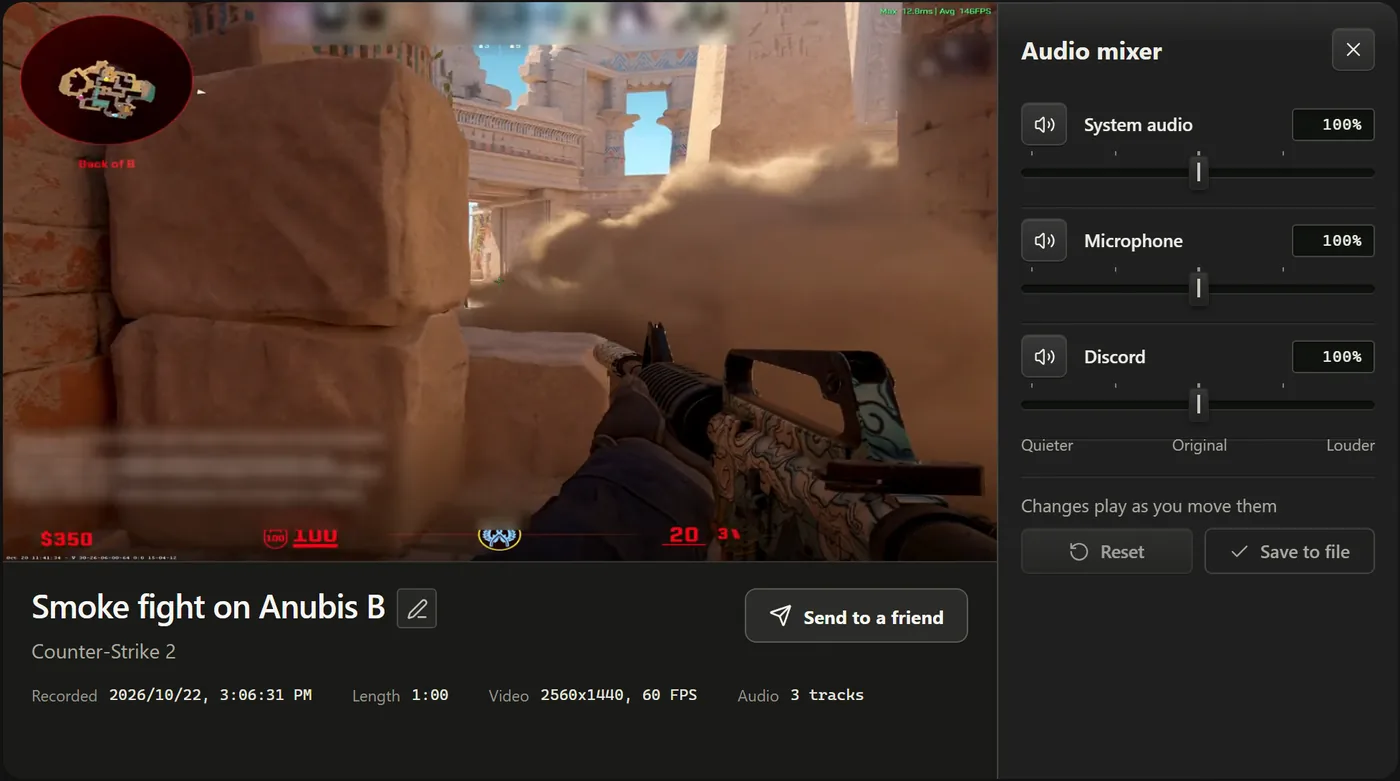
Open a clip and choose the audio mixer. Each track has its own level, from quieter to louder than it was recorded, and a mute button. Changes play as you move them, so you hear the balance before you keep it.
Choose Save to file and the new balance is written into the clip itself. Every player then hears the same mix, the video is never re-encoded, and an interrupted save never leaves a broken clip.
Works with your editor
Clips are MP4 files with one AAC track per source. Video editors that read multi-track MP4 files, such as DaVinci Resolve or Premiere Pro, show each track separately. Simple players and most upload sites play only the first track, so save a mix in Clipture first when you want everyone to hear it.
Why separate tracks matter
A recording with everything mixed into one track can't be taken apart later: your voice, your friends and the game stay together. Separate tracks let you fix a loud teammate, cut music you can't post, or share a clip without your own voice, long after the moment happened.
Free and source-available. Windows 10 or 11 with an NVIDIA GPU.